Add live chat to a Flutter app
Install adrian_chat from pub.dev, open the chat, show unread replies and identify customers.

adrian_chat works on iOS and Android. Package: pub.dev/packages/adrian_chat. Source: github.com/nugitech/adrianhq-sdk-flutter.
1. Install
flutter pub add adrian_chatOn Android, release builds need the internet permission in android/app/src/main/AndroidManifest.xml. Flutter only adds it to debug builds.
<uses-permission android:name="android.permission.INTERNET" />On iOS, add the camera and photo strings to ios/Runner/Info.plist so customers can attach photos:
<key>NSCameraUsageDescription</key>
<string>Take a photo to send to support.</string>
<key>NSPhotoLibraryUsageDescription</key>
<string>Choose a photo to send to support.</string>
2. Configure: production
import 'package:adrian_chat/adrian_chat.dart';
import 'package:flutter/material.dart';

final navigatorKey = GlobalKey<NavigatorState>();

void main() {
  WidgetsFlutterBinding.ensureInitialized();
  Adrian.configure(
    workspaceId: 'ws_your_workspace_id',
    appId: 'com.acme.app', // your bundle id; shown to agents as app://com.acme.app/<screen>
    navigatorKey: navigatorKey,
  );
  runApp(MaterialApp(
    navigatorKey: navigatorKey,
    navigatorObservers: [AdrianNavigatorObserver()], // reports named routes as screens
    home: const HomePage(),
  ));
}
3. Configure: local development
Read the widget URL from a build-time define, so release builds keep the production default:
Adrian.configure(
  workspaceId: 'ws_your_workspace_id',
  widgetUrl: const String.fromEnvironment('ADRIAN_WIDGET_URL', defaultValue: Adrian.defaultWidgetUrl),
  appId: 'com.acme.app',
  navigatorKey: navigatorKey,
);
flutter run --dart-define=ADRIAN_WIDGET_URL=http://localhost:5181The iOS Simulator reaches your Mac as localhost. On an Android emulator, run adb reverse tcp:5181 tcp:5181 and adb reverse tcp:8000 tcp:8000 first. In debug builds, allow plain HTTP to localhost:
iOS:
NSAllowsLocalNetworkinginInfo.plist.Android: a debug network security config.
The iOS and Android guides show both.
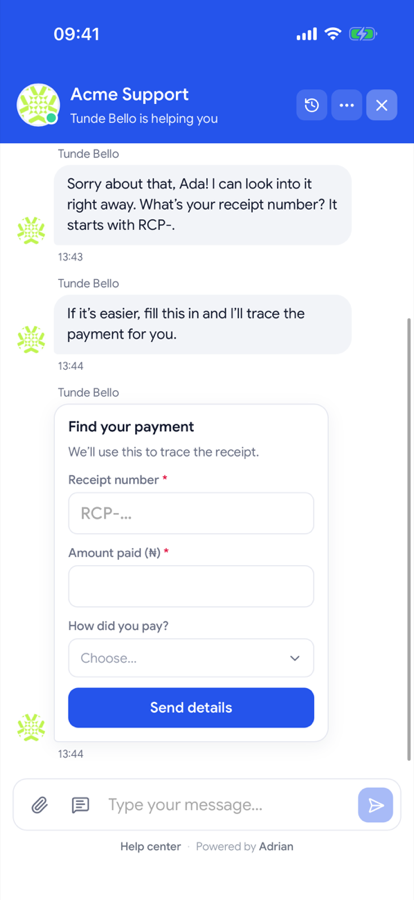
4. Open the chat and show unread replies
class HomePage extends StatelessWidget {
  const HomePage({super.key});

  @override
  Widget build(BuildContext context) {
    return Scaffold(
      floatingActionButton: const AdrianLauncher(),
      body: ValueListenableBuilder<int>(
        valueListenable: Adrian.unreadCount,
        builder: (context, unread, _) => ListTile(
          title: const Text('Help & support'),
          subtitle: Text(unread > 0 ? '$unread new' : 'Chat with our team'),
          onTap: () => Adrian.present(context),
        ),
      ),
    );
  }
}
5. Identify customers and sign out
// After sign-in
Adrian.identify(name: user.name, email: user.email);

// On sign-out: the next person on this device starts a new conversation
Adrian.reset();
identify labels the conversation with a name and email. It doesn't prove who the customer is, so verify identity before account changes, as you would on your website.
6. Events
Adrian.events.listen((event) {
  switch (event) {
    case AdrianMessageReceived(:final message):
      showBanner('${message.author}: ${message.body}');
    case AdrianUnavailable(:final reason):
      debugPrint('Chat unavailable: $reason');
    default:
      break;
  }
});Adrian.unreadCount, Adrian.primaryColor and Adrian.latestMessage are ValueListenables. For routes without names, use AdrianNavigatorObserver(nameOf: …) or call Adrian.trackScreen('Checkout') yourself.
Was this article helpful?